
COMPLIANCE
CORNER
MLS Rules are the cornerstone to how MetroList Participants and Subscribers interact with the real estate data that allows the MLS system to operate equitably and with the highest level of data integrity.
MLS Rules Quick Links:
Videos
Helpful Handouts & Links
The Most Asked About MLS Rules
CheckIT
FAQ Page
How to access the MLS Rules
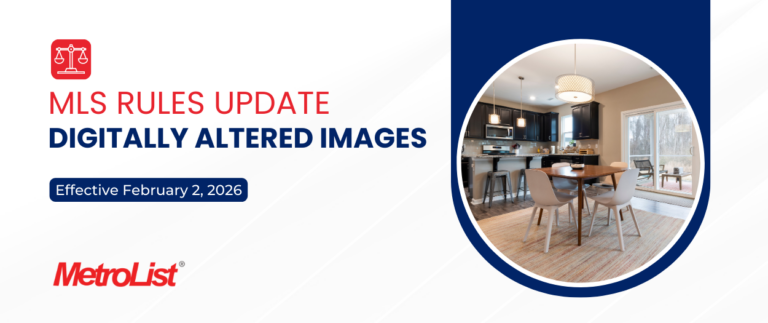
Starting January 1, 2026, California AB 723 introduced new requirements for using digitally altered images in real estate advertising and promotional materials. MetroList has adopted supporting rules to help subscribers follow AB 723 when entering digitally altered images in the MLS. Digitally altered images are still allowed in the MLS, but they must include disclosures required under MetroList MLS Rule 11.6.1.
Key Highlights of Digitally Altered Images:
- Digitally altered images are those that materially change the appearance of a property and could mislead consumers (e.g., virtual staging, altered finishes, modified views, AI-generated elements).
- Basic photo enhancements (brightness, color correction, cropping, sharpening) are not considered digital alterations.
Key Highlights of MetroList MLS Rule 11.6.1:
- Include a reasonably conspicuous disclosure statement located on or adjacent to the altered image stating that the image has been digitally altered. MetroList has a tool available to help identify digitally altered images, applying a watermark directly to those photos.
- Include a publicly accessible link, URL, or QR code within that disclosure that clearly identifies the original, unaltered image(s) and indicates that the unaltered image(s) can be accessed via the provided link, URL, or QR code.
- Upload the original, unaltered version of the image with the listing (MetroList recommends placing the unaltered image immediately next to the altered version in the photo order).
Please review the updated MLS Rules in the MLS Toolkit module on your MLS Dashboard. These changes took effect on February 2, 2026.
Compliance Videos
Helpful Handouts & Links
Citations
Upon receiving a violation/citation please read the Citation Notice fully and follow the “Action Required” Section or Call/Email the Compliance Department for further clarification.
Report a Violation
If you see something wrong with a listing please hit the Report Violation prompt within that particular listing to report a violation and the Compliance Department will assess and follow up if needed.
Closed Listing Changes and 10.1.1 Rule
Contact Compliance within 30 Days of the Closed Date to make necessary updates.
10.1.1 Final Sale shall be defined as the recording of a deed or other document in the applicable real estate records transferring title to property listed in the MLS. Information regarding a Final Sale with the correct buyer’s agent information and the correct sales information shall be entered into the MLS by the seller’s agent within three (3) days of the date of the Final Sale. Failure to do so will result in an automatic fine as set forth in Addendum B. Any changes to information entered in the MLS regarding a final sale may only be made within thirty (30) days after the date of the Final Sale with the consent of the listing broker’s office
Clearing DOM
Create a new listing at any time and the listing will appear as “New” again on the hot sheets for 5 Days in the MLS and all 3rd Party Websites.
Hold status does not reset DOM.
Clearing CDOM
Wait 31 Full Days from the Canceled or Expired Date on the previous listing and go Active with the new listing on the 32nd Day. The listing will also still show as “New” again on the hot sheets for 5 Days in the MLS and all 3rd Party Websites.
Hold status does not reset CDOM.
How Does HOLD Status Work
Hold status is used to temporarily pause DOM/CDOM, showings, and all new marketing efforts. There is no timeframe for how long the listing can be on Hold Status, outside of the Listing’s Expiration. After 10 Days or more of being on Hold, any and all marketing must stop, including removing the For Sale Sign in the yard.
Sold Off MLS Status
Sold Off MLS is an optional status:
- Should you elect to add a Sold Off MLS listing, it must be entered into the MLS within 14 days of the close of escrow and must have a valid listing agreement or purchase agreement.
- To enter a Sold Off MLS listing, a fully executed MetroList Permission to Post form or its equivalent (CAR Purchase Agreement) must be completed and retained in your records in the event it is requested by our Compliance Department.
- Listings cannot be transitioned into Sold Off MLS status from any other status.
- Sold Off MLS listings must have a front exterior photo uploaded.
Additional Resources:
The Most Asked About MLS Rules
1. Your Agent Id, Password and Lockbox Key are provided for your use only. Never share them with anyone.
2. All listings entered into the MLS must have a valid listing agreement.
3. All data entered into the MLS about your listing should be accurate, timely and meaningful.
4. Mandatory Submission of a Listing (MLS Rule 7.6) – One of the options below must be completed within 3 Calendar Days of the effective List Date:
• Listing must be submitted in the MLS
–Listing goes live immediately and is viewable by all.
• Listing must be submitted in the MLS with future On Market Date (will now be an Unapproved Listing).
– Absolutely no marketing of the property can be done prior to the OMD (includes: Coming Soon Signs).
– On Market Date may be up to 120 Days from the List Date.
Viewable by Office Only.
– When the On Market Date is reached, the listing goes live immediately, is viewable by all and the Days on Market is Zero. (DOM will NOT accrue from the original List Date.)
OR
• The “Online” MLS Listing Waiver must be submitted to the MLS.
– No restrictions on marketing the property.
– Listing is withheld from MLS, while pre-marketing or during entire listing period.
– Post waiver, if listed in the MLS, the On Market Date shall match the List Date. (DOM will accrue from the original List Date)
– Should you elect to add a Sold Off MLS listing it must be entered into the MLS within 14 Days of the Close of Escrow and must have a valid Listing Agreement or Purchase Agreement.
5. Report all changes in status within three (3) calendar days.
CheckIT
CheckIT is an optional tool designed to help agents identify potential infractions when used. While CheckIT is highly effective, it may not detect all potential infractions in the initial use, you may receive a notice for any additional infractions not initially detected when using the CheckIT tool.
CheckIT Benefits
- Reviews data input at entry
- CheckIT against MLS Rules to help avoid any rules violations
- CheckIT compares entered data against county tax records
- In the fast paced world in which we live, CheckIT offers one more level of checks and balance
- CheckIT delivers a better client experience and potentially reduces liability
CheckIT will significantly improve the accuracy of listing information for brokers, agents and millions of home buyers and sellers. Having this system to monitor data input will ensure continuity in the data, improve the customer experience and potentially reduce liability issues for our subscribers.
How CheckIT Works

Veronica Johnson
Compliance Supervisor

Carrie Ahola
Data Integrity Specialist

Mary Eskandar
Data Integrity Specialist